
New to Leonida?
GTA 6 underwear: a ready-made outfit in the wardrobe
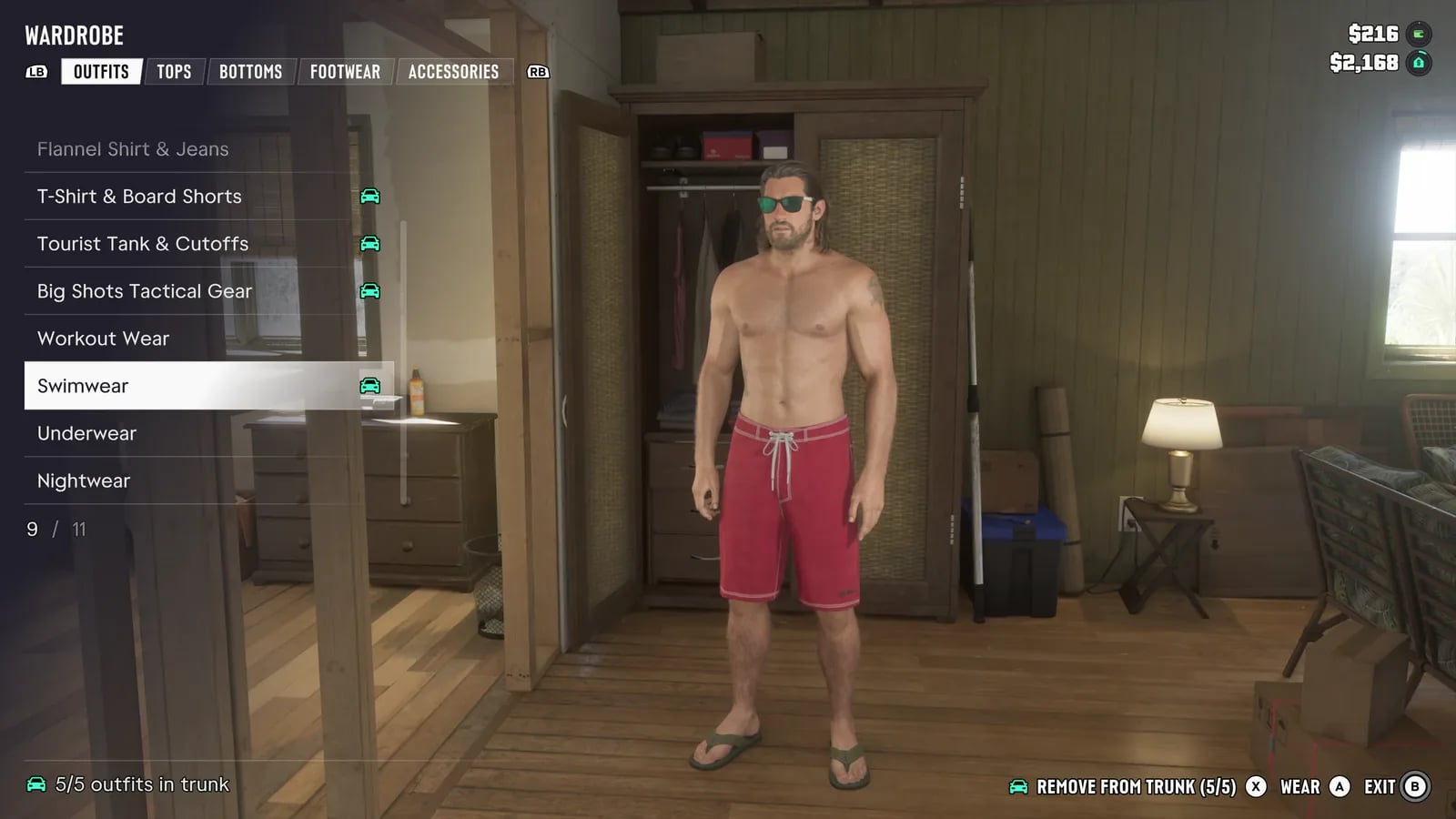
You don’t have to buy underwear: Jason and Lucia each have a ready-made “Underwear” outfit in the wardrobe at your safehouse.
How to do it
- Step 1:
Go to the wardrobe in your safehouse.
At the wardrobe, you open the menu via “Wardrobe”. - Step 2:
Open the outfits and choose “Underwear”.
You’ll find “Underwear” under “Outfits”. - Step 3:
Jason then wears briefs, Lucia a bra and panties.
This is what Jason looks like in his underwear. - Step 4:
You can only undress fully when showering at the safehouse; afterward you have a towel wrapped around you, and when you leave the house the game puts regular clothes back on.
Keep in mind
Good to know
There are no other underwear sets and no dedicated store for them; you just switch between the outfits in the wardrobe. Swimwear for the beach, on the other hand, you buy at clothing stores. More on changing clothes is under Changing clothes.
Does it work for you?
Your vote turns the “Verified” stamp into “Confirmed”.
Keep going
More like this
 Tip
GTA 6 Switch 2: not announced
A Switch 2 version of GTA 6 is not announced; the game is available only on PS5 and Xbox Series X|S.
 Tip
GTA 6 online: no GTA Online launch announced
GTA 6 has no announced online mode and no launch date; the game ships as a pure single-player experience.
 Tip
GTA 6 co-op / split screen: can you play with two?
No: GTA 6 has no co-op or split-screen mode; you control Jason and Lucia one at a time, alone.
Watch the video
Rather see it in action? The video starts right at the good part.